Teams Management
Centro Access allows you to organize your workforce into teams for better task management and workflow.
Adding Teams
To create new teams in your organization:
- Navigate to the Teams section in your organization here
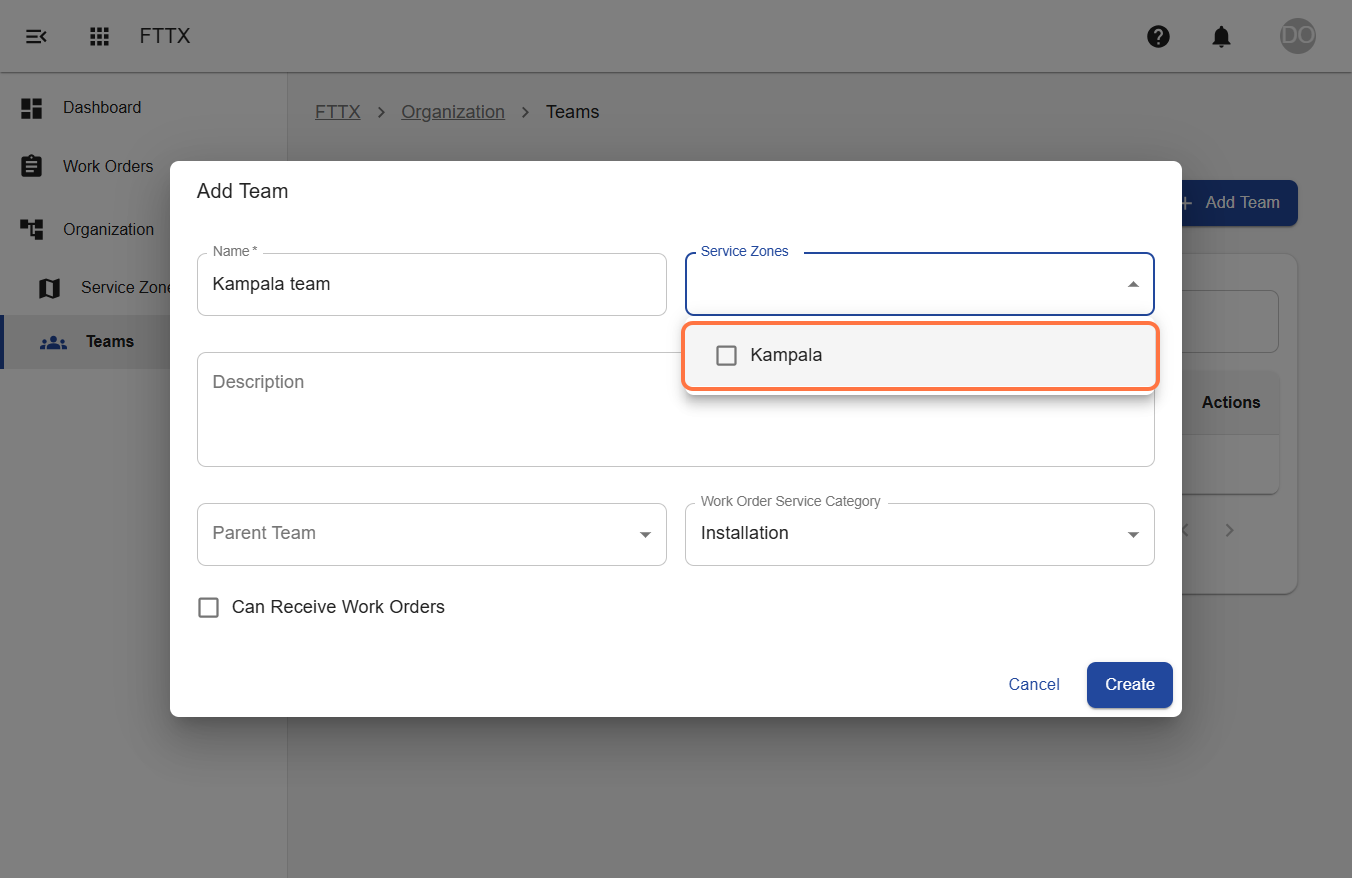
- Click "Add New Team"
- Enter the team name, description, service zones and categories this team will serve
- Select whether the team can receive work orders
- Click "Create Team"
Managing Teams
Once teams are created, you can:
- Add users to teams:
- Navigate to the specific team in the team list
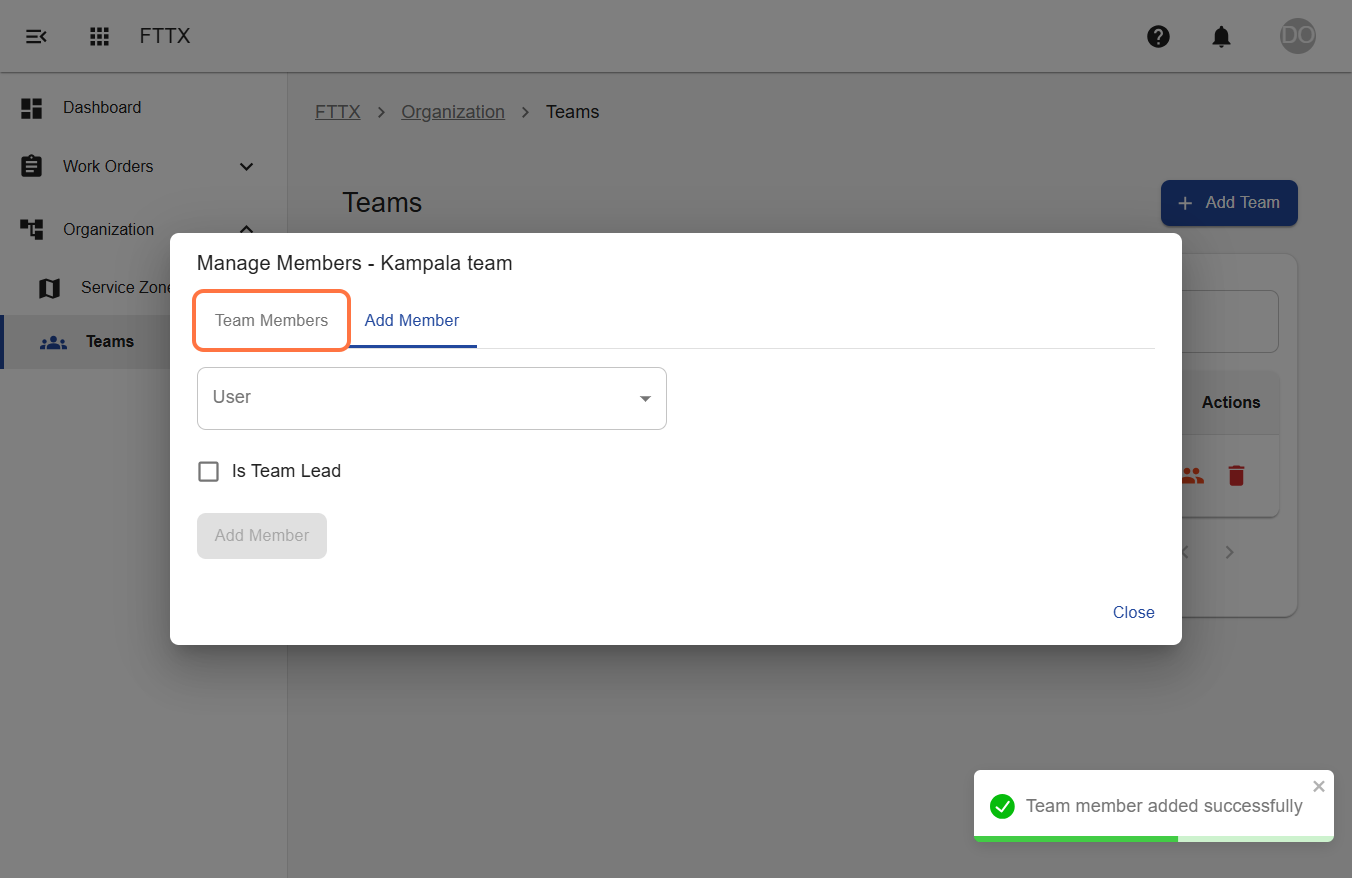
- Click the 'Manage Members' icon from the actions of this team
- In the'Manage members' modal that appears, you will see the tabs for current Team Members and Add Team Member
- Go to the Add Team Member tab
- Select a user and choose whether this user will be a team leader
- Click "Add Member"
- Organize teams by department or function:
- Use team service categories
- Create hierarchical team structures by selecting parent teams if needed
- Assign specific service zones to teams
For additional information about Teams, please visit our Teams Guide.