Service Zones
Service zones define the geographical areas where your organization provides services. Properly configured service zones help optimize work order assignment and resource allocation.
Adding a Service Zone
To add a new service zone:
- Navigate to the "Service Zones" section here
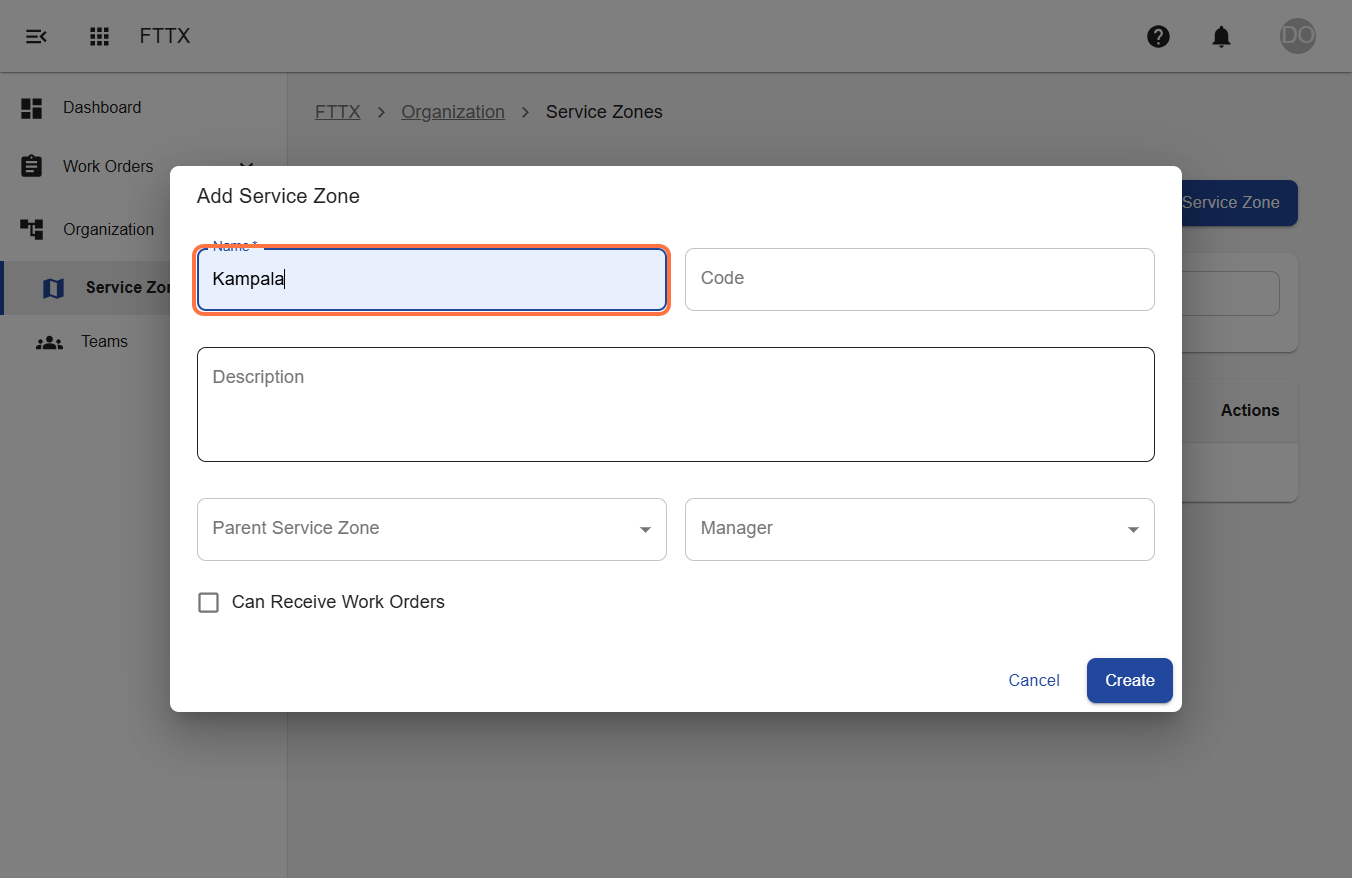
- Click "Add Service Zone"
- Enter the service zone details:
- Zone name
- Zone code
- A description
- Zone manager
- Zone parent (optional)
- Choose whether the service zone can accept work orders
- Click "Create Service Zone"
Managing Service Zones
To manage an existing service zone:
- Navigate to the "Service Zones" section in your organization settings
- Find the service zone you want to manage and click "Edit"
- Update any of the service zone details:
- Zone name
- Zone code
- Description
- Zone manager
- Zone boundaries
- Service capabilities
- Adjust team assignments from the "Teams" tab
- Set priority levels for different service types
- Click "Save Changes"
For additional information about service zones, please visit our Service Zones Guide.